
11 Benefits of Workflow Automation for Laboratory Management
Updated March 31, 2026
Lab workflow automation reduces errors, improves turnaround time, boosts compliance, and increases staff productivity. For labs managing growing sample volumes under tightening regulations, lab automation has moved from a competitive advantage to a core lab infrastructure.
This guide covers what lab workflow automation is, the real cost of manual processes, 11 data-backed benefits, and how to evaluate lab management software for your environment.
What is Laboratory Workflow Automation?
Laboratory workflow automation uses software and connected instruments to run lab processes the same way every time, from sample intake through final reporting. A LIMS (laboratory information management system), also called lab management software or a sample management system, is the core platform: storing data, enforcing step‑by‑step procedures, and tracking every sample through its full lifecycle.
Automation can be software‑based (workflow rules, data capture, reporting), instrument‑integrated (direct connections between analyzers and your LIMS), or a combination of both. Most labs begin with software automation and layer in instrument integration as their workflows mature.
Because lab results inform roughly 70% of clinical decisions, how a lab operates directly affects patient care, not just internal efficiency.
What Manual Lab Workflow Actually Costs
Before automation, the cost of manual work was easy to miss because it was spread across many small inefficiencies rather than a single clear line item.
Labs that still rely on paper records and manual data entry often see error rates of 18-40% in routine data handling. Each mistake creates downstream costs: retesting, delayed results, repeat sample collection, staff time spent fixing discrepancies, and, in regulated labs, the risk of a compliance issue. In many cases, a single failed audit or recalled batch can cost more than a full LIMS implementation.
Turnaround time suffers too. When samples move between steps through manual handoffs and verbal confirmations, delays accumulate at every transition. Staff lose hours each week on tasks that add no clinical or scientific value: transcribing instrument readings, reordering supplies after stockouts, compiling data for reports, and chasing down paperwork before inspections.
For labs considering automation, the question is rarely “can we afford to automate?” More often, it is: “What is it costing us not to?”
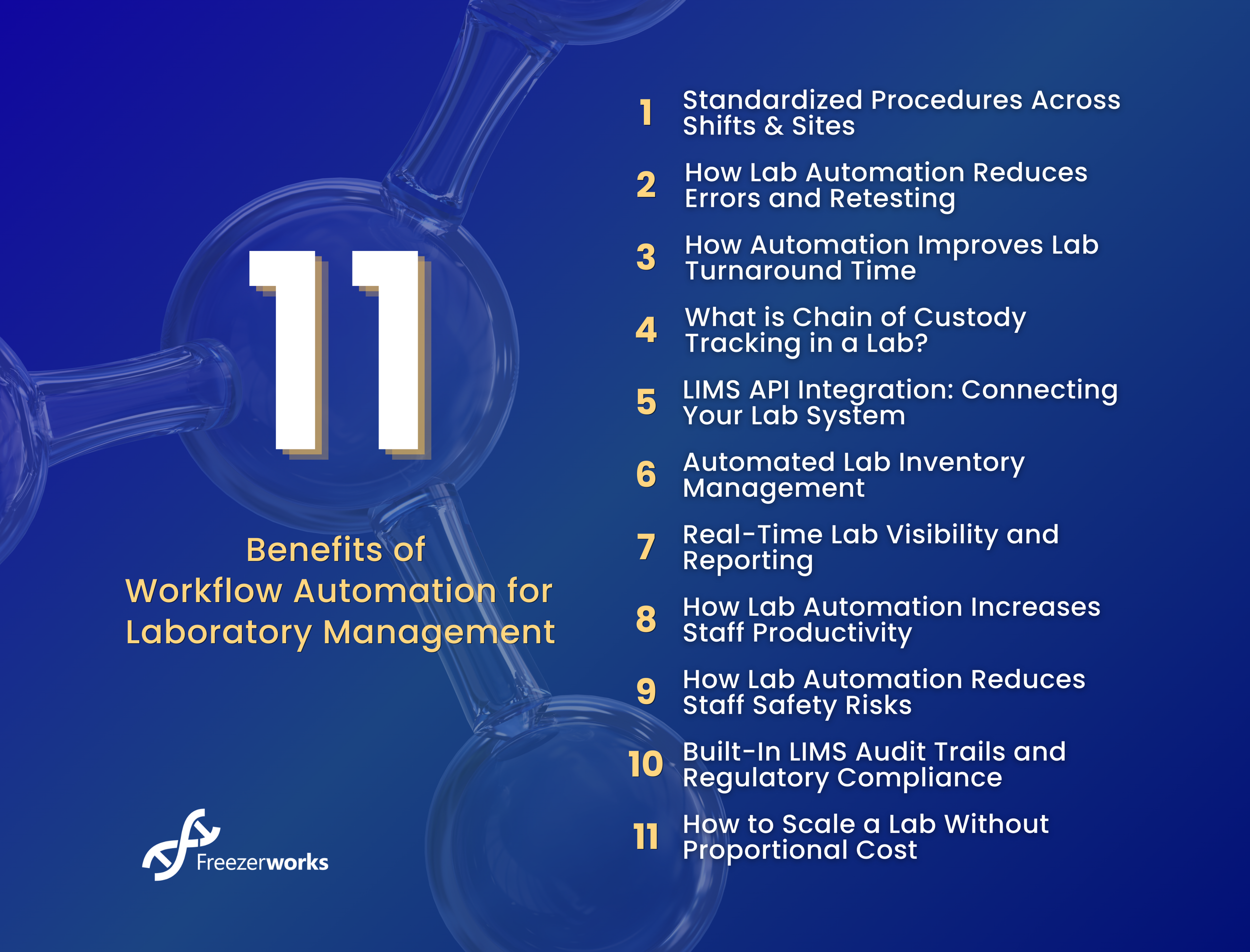
11 Benefits of Lab Workflow Automation
1. Standardized Procedures Across Shifts and Sites
Manual workflows can change by operator, shift, and location, and this variable is one of the most common sources of avoidable error. When a process relies on personal memory or habit rather than defined steps, results drift. Automation runs the same procedure every time, regardless of who’s on duty or where the work happens.
With barcode-based sample tracking, each specimen is clearly identified, routed, and logged from intake onward, reducing mislabeling and misrouting across all sites and shifts.
2. How Lab Automation Reduces Errors and Retesting
Labs that rely on manual data entry see error rates estimated at 18-40%. Automated data capture and barcode tracking can cut data-related errors by up to 30%. Automated pre-run checks also catch missing inputs and conflicts before the workflow starts. Labs using LIMS-based quality control report improvements in error detection compared with manual methods.
3. How Automation Improves Lab Turnaround Time
Turnaround time (TAT) is the period between receiving a sample and delivering the result, and it is a key lab metric. It also affects patient care, research timelines, and lab revenue.
Labs using integrated digital workflows deliver results faster than those using standalone systems, and in emergencies, faster TAT speeds up treatment decisions, and in research, it moves experiments to the next stage sooner.
Automation shortens turnaround time at every stage: faster sample ID at intake, automatic routing to the correct workflow, direct transfer of instrument data into records, and automatic result notifications. It also helps offset staff shortages and reduces operating costs.
4. What is Chain of Custody Tracking in a Lab?
Regulated labs must document where every sample has been, who handled it, and what was done to it. This is chain of custody: a complete, continuous record of how a sample was handled that you can produce at any time for audits, legal cases, or quality investigations.
Automated sample tracking maintains this chain of custody without gaps. Barcode IDs assigned at intake ensure every action is logged to the correct specimen, without manual cross-checking. For biorepositories managing thousands of frozen samples across multiple freezer systems, this traceability is what makes large-scale sample management viable.
5. LIMS API Integration: Connecting Your Lab System
A lab management system that can’t connect to your existing instruments and platforms creates new data silos instead of eliminating them. LIMS APIs link directly to analyzers, EMR/EHR systems, billing platforms, and third-party tools, so results move automatically from the bench into the correct records without manual entry.
In clinical settings, LIMS–EMR connections send orders and return results electronically in both directions, reducing delays and transcription errors. In some cases, FHIR-based LIMS integration has cut result reporting time by 35%.
When evaluating lab management software, prioritize open APIs so the system extends, rather than fragments, your current environment.
Already evaluating lab management software?
Freezerworks connects to your existing instruments and systems via API, no data silos, no manual transfers.
6. Automated Lab Inventory Management
Manual inventory control leads to stockouts that delay testing, overordering that raises costs, and expired reagents that can affect results.
Automated inventory systems track stock in real time and trigger reorder alerts when thresholds are met. Barcoding reagents and consumables automatically logs every item, and provides clear usage data by shift, department, and facility. Labs using automated inventory report a 35% drop in material waste and a 20% reduction in procurement costs.
7. Real-Time Lab Visibility and Reporting
Lab managers need a live view of operations, not end-of-day summaries. By the time a daily report surfaces, the damage is already done, samples are delayed, staff time is wasted, and a compliance event is logged.
Automated dashboards display TAT, equipment status, sample throughput, and staff workload in real time, so you can spot and fix bottlenecks as they occur.
8. How Lab Automation Increases Staff Productivity
A clinical lab processing several hundred samples a day can spend hours on data entry, labeling, ordering, and routine pre- and post-test steps. Automation frees up this time for higher-value work, such as analysis, method development, quality review, and decision-making.
Research by MarketsandMarkets found that automating data processing cut time spent on analysis tasks by 40%, giving scientists more capacity for experimental design and interpretation. Automated workflows running overnight and on weekends also increase capacity without adding staff.
9. How Lab Automation Reduces Staff Safety Risks
Automation reduces how often staff must directly handle hazardous or infectious materials and lowers the risk of repetitive‑motion injuries common in high‑volume labs. In well‑integrated setups, staff may only touch a specimen once before the system completes the remaining steps.
10. Built-In LIMS Audit Trails and Regulatory Compliance
Compliance documentation works best when it is created automatically as part of daily work.
Automated workflows enforce standard procedures and generate continuous audit trails: every data entry, result change, sample transfer, and user action is stored in a timestamped log. For labs subject to FDA 21 CFR Part 11, HIPAA, ISO 9001, CAP, CLIA, or GxP, this automates compliance documentation and safeguards data integrity when results are questioned.
Role-based access controls add another layer: only authorized users can view, enter, or modify specific record types, and every access event is logged. This protects data integrity and limits exposure during audits or investigations.
Be Audit-Ready Every Day, Automate Your Documentation
Freezerworks generates audit trails automatically as part of daily operations, so you're always ready.
11. How to Scale a Lab Without Proportional Cost
Manual processes scale linearly with volume: more samples usually mean more staff and more risk. Automated workflows do not.
A lab’s scalability through automation lets facilities handle more samples, and add new tests or open new sites without rebuilding workflows each time. Most labs adopt LIMS-based automation and see ROI within 6-18 months, with savings driven across 4 main areas:
Labor cost reduction — staff hours recovered from manual data entry, reordering, and report compilation
Retesting cost reduction — fewer errors mean fewer wasted reagents, samples, and analyst hours
Inventory savings — automated purchasing reduces overstock and eliminates rush orders for stockouts
Compliance cost avoidance — automated documentation reduces the risk of findings, penalties, or remediation projects
Data Security and Access Controls in a LIMS
As labs automate and scale, data security and access control become even more critical. Lab data security is not just an IT issue; it is a compliance requirement. HIPAA, FDA 21 CFR Part 11, and CAP all mandate controls over who can access, enter, or modify laboratory records.
A well-implemented LIMS addresses this with role-based access controls. Each user is assigned permissions appropriate to their role, a technician can enter results but not modify validated records, and a manager can review reports but not alter raw data. Every access event, including failed logins, is logged automatically.
This approach does two things: it limits the impact of human error or unauthorized access, and it produces the access history documentation auditors expect during compliance reviews. For labs that previously relied on shared passwords or paper sign-in sheets, the improvement is immediate and measurable.
On-premise LIMS deployments like Freezerworks give IT teams direct control over the environment, and no data leaves the organization’s infrastructure.
How to Get Started with Lab Workflow Automation
Lab automation requires upfront investment in time, budget, and change management, and labs that plan carefully and start with a focused scope see value faster. Freezerworks helps lower the barrier to entry with flexible subscription pricing, reducing upfront cost concerns.
Define the problem first. Identify the specific bottleneck to address: TAT, error rate, compliance gaps, or inventory cost. A vague goal produces a vague implementation.
Map current workflows before changing them. Document every step, handoff, and failure point to find the highest-impact automation targets before evaluating any software.
Start with one workflow. A focused first project is faster to validate, easier to train staff on, and helps build organizational confidence for a broader rollout.
Audit integration requirements. Confirm that any LIMS or lab management software you evaluate connects to them via API. If it can’t, it will create friction rather than remove it.
Plan staff onboarding. Communicate early about what is changing and why. Thorough training shortens adoption time and reduces resistance.
Frequently Asked Questions About Lab Workflow Automation
-
Laboratory workflow automation uses a LIMS (laboratory information management system), connected instruments, and integrated platforms to standardize, run, and track lab processes from sample intake to final report. It replaces manual steps such as data entry, labeling, sample routing, and compliance logging with consistent, auditable, automated processes that run the same way every time, regardless of operator or shift.
-
Most labs see positive ROI within 6 to 18 months of implementing LIMS-based automation. Over five years, returns of 200 to 400 percent are common. These gains come from reduced labor costs, fewer retests, lower inventory waste, and avoided compliance penalties. Labs moving from fully manual workflows often see payback in under a year because their initial inefficiency is so high.
-
A LIMS (laboratory information management system) is designed for research, biotech, pharmaceutical, and general lab environments. It manages samples, workflows, instruments, and operational data. A LIS (laboratory information system) is designed for clinical and hospital labs, with a focus on integrating patient data and hospital records. Some platforms support both use cases. The right choice depends on your lab type and the external systems you need to connect.
-
Prioritize sample traceability, barcode sample tracking, workflow standardization, real-time reporting, open API integration, audit trail generation, and support for your specific regulatory framework. Beyond features, evaluatethe deployment model (on-premise or hosted), vendor implementation support, and how well the system integrates with your existing instruments and platforms. Start with your most critical pain point, such as TAT, errors, or compliance, and confirm that the software addresses it directly.
-
LIMS software is typically available in two deployment models. On-premise LIMS is installed on servers within your organization’s infrastructure, giving IT direct control over data, security, and system access. This model is often preferred by labs with strict data governance requirements or established IT teams. Hosted or SaaS LIMS is managed by the vendor and accessed through a browser. Each model has different cost structures, implementation timelines, and security considerations. The right choice depends on your IT environment, data governance policies, and regulatory requirements.
-
Clinical diagnostics labs, biorepositories, pharmaceutical and biotech R&D labs, and hospital lab services benefit the most, especially when they manage high sample volumes, operate across multiple sites, or work under strict regulatory requirements. Any lab where manual data entry, inconsistent procedures, or compliance documentation consume significant staff time can see measurable gains from even a focused automation project.
-
Each specimen receives a unique barcode ID at intake. Every action that follows, such as handling, testing, storage, or transfer, is automatically logged to that ID. This maintains a complete chain of custody and removes the manual cross-referencing that leads to errors. Barcoding can also cover reagents and consumables, creating a connected inventory tracking system alongside sample management.
-
A LIMS audit trail is a permanent, tamper-resistant record of user actions, data entries, result edits, and sample transfers. It is generated automatically as part of daily work, not assembled manually before an inspection. Audit trails are required for compliance with FDA 21 CFR Part 11, HIPAA, CAP, CLIA, and GxP standards. They provide the timestamped documentation that auditors request during compliance reviews.
-
LIMS API integration connects your lab management system directly to instruments, EMR and EHR platforms, billing systems, and other tools. Instrument data automatically moves into the correct sample record, eliminating manual transcription. Result data can then flow to external systems without re-entry. This keeps data synchronized across all connected platforms in real time, removing the delays and transcription errors that occur when systems operate in isolation.
-
Implementation time depends on lab size, workflow complexity, and the number of instruments and systems to integrate. A focused implementation for a single workflow can go live within weeks. Full deployments that include extensive instrument integration and data migration typically take three to twelve months. The most effective approach is to start with one high-priority workflow, validate it, then expand. This usually delivers faster initial ROI than attempting a full-lab deployment at once.
-
No. Lab automation removes low-value, repetitive work such as data entry, manual labeling, and reorder management. This allows staff to focus on analysis and decision-making tasks that require their training and expertise. Labs that automate effectively often see better staff retention rather than reductions in headcount, because the work becomes more professionally rewarding. Automation is also an important tool for labs that need to maintain operations during workforce shortages.
Manage Your Lab with Freezerworks LIMS
Manual processes, disconnected systems, and compliance pressure are solvable. Freezerworks gives clinical labs, biorepositories, and research facilities a single on-premise, compliance-ready platform to address all three with:
Full chain-of-custody tracking
Barcode specimen management
Configurable annotations
Billing data management
Automated audit trails
Role-based access controls
API connectivity to your existing instruments and systems
If you manage high sample volumes, multi-site operations, or strict compliance requirements, Freezerworks is built for your environment.
