
Track every sample.
Prove every step.
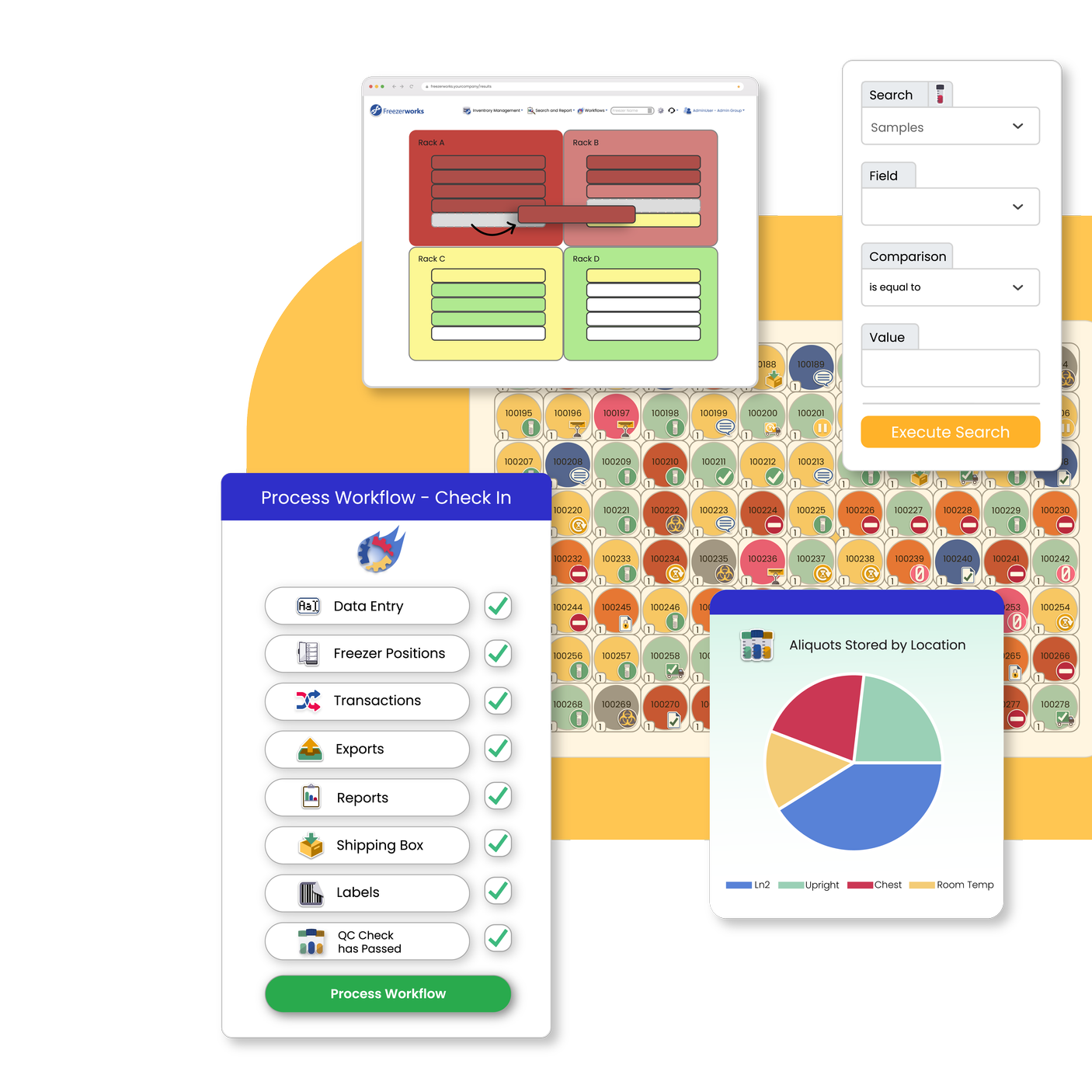
Sample Management Software
Freezerworks 2 helps regulated labs find samples faster, stay audit-ready, and replace spreadsheet workarounds with a browser-based, on-premise system built around real lab operations.
TRUSTED BY LABORATORIES WORLDWIDE
Founded in 1987
Decades of experience building sample management software for research and clinical labs.
Built for traceability
Track samples, storage locations, and specimen history in one configurable system.
Compliance-ready workflows
Support chain of custody, audit trails, and controlled access for regulated lab operations.
The Spreadsheet Problem
Growth turns sample management into manual chaos.
Spreadsheets and homegrown systems can hold things together for a while. Then sample volume grows, teams expand, and routine work starts breaking down.
Your team spends more time chasing records, double-checking locations, and rebuilding sample history when speed and traceability matter most.
Audit prep becomes a fire drill
When sample history is spread across disconnected records, proving who did what takes longer than it should.
With Freezerworks 2: Record sample activity, timestamps, and user actions in one place with regulatory-grade audit trails.
Finding samples takes too long
Your team should not have to rely on memory, side notes, or freezer-by-freezer searching to locate inventory.
With Freezerworks 2: Search records quickly and navigate visual freezer inventory to find samples faster.
Data lives in too many places
Spreadsheets, legacy databases, and instrument outputs create duplicate work, silos, and inconsistent records.
With Freezerworks 2: Centralize sample data and connect other systems your lab already uses.
What is Freezerworks 2?
Control Your Samples Without Slowing Down Your Lab
Freezerworks 2 is a browser-based, on-premise sample management system built to support the way regulated labs actually work. It gives any team a configurable, secure platform for managing sample inventory and lab processes with the traceability and data quality scientists expect.
Complete Sample Management
capabilities
Track samples, manage freezer inventory, control access, and keep clean records without juggling spreadsheets, paper logs, and disconnected systems.
Inventory Management
Know what you have. Know where it is.
Track every sample and aliquot from intake to disposal with a clear view of location, history, and availability.
Sample Tracking
Track each sample from receipt to use, transfer, or disposal.
Freezer Inventory
See exact storage locations, box layouts, and open space without opening a freezer.
Specimen Lineage
Trace parent-child relationships and sample history from source to aliquot.
Barcode Labeling
Label and scan samples faster while cutting manual entry errors.
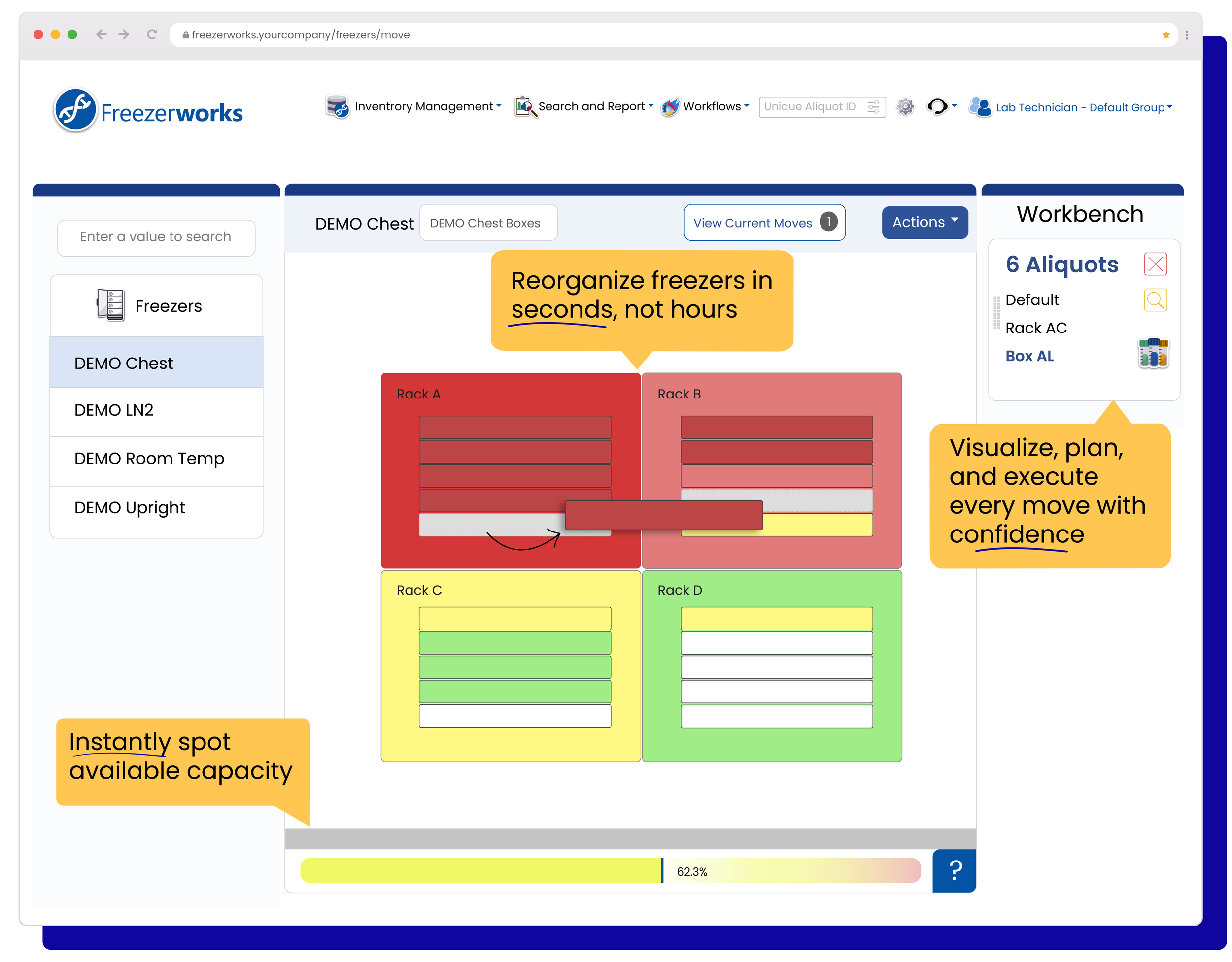
Compliance & Security
Keep records clean and access controlled.
Give teams the access they need, track every change, and keep a defensible record of every sample.
Chain of Custody
Track every handoff and movement from one user, team, or location to the next.
Audit Trails
Support quality, review, and regulatory readiness with a full log of edits and actions.
Role-Based Security
Control what each user can view or edit to reduce risk and protect sensitive data.
Group-Based Security
Limit visibility by group, department, or project to keep data separated and access clean.
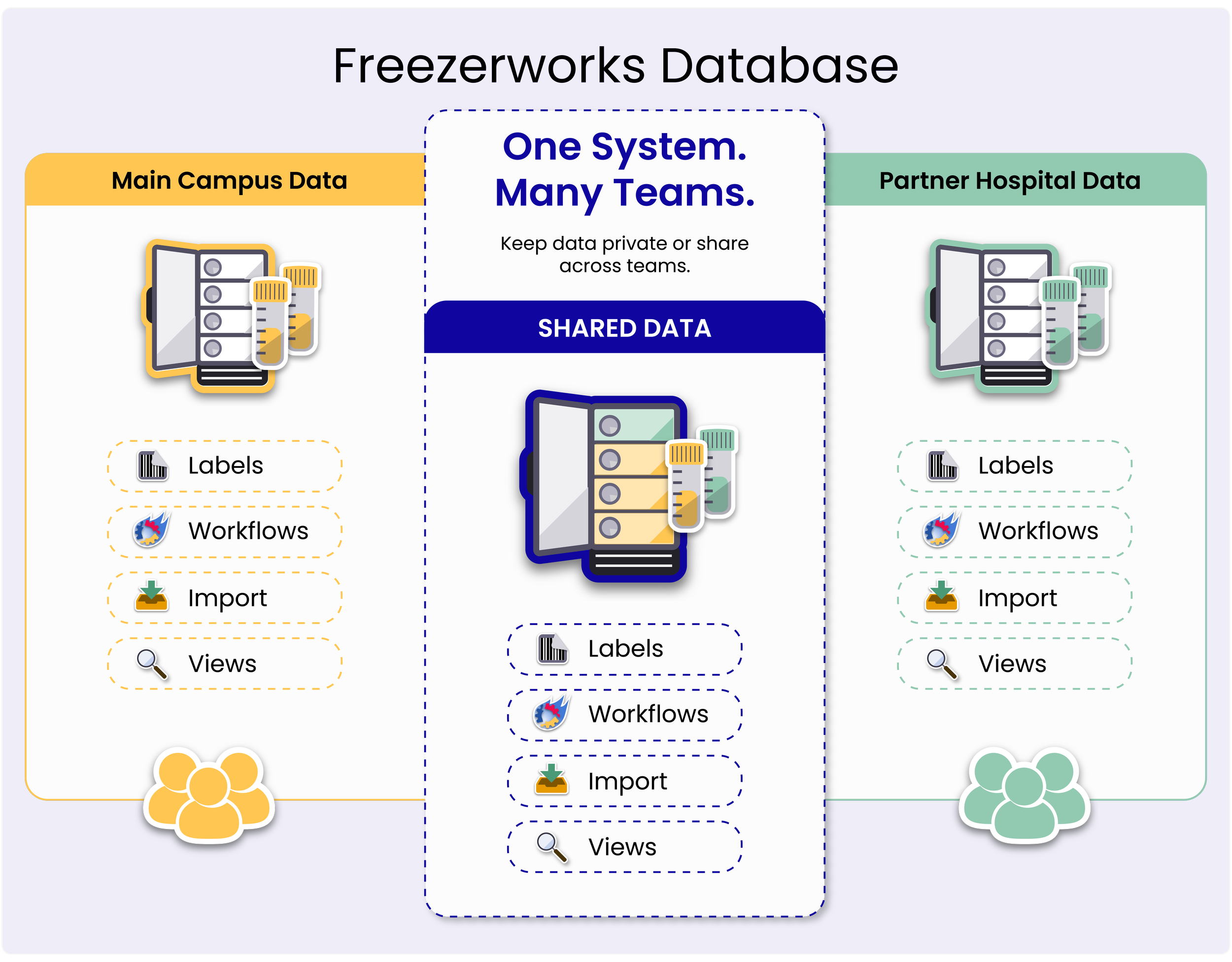
Automation & Workflow
Get more done in less time.
Standardize routine processes and connect Freezerworks to the tools you already use.
Workflow Automation
Turn your common lab processes into guided steps, so work gets done the same way every time and fewer tasks slip through the cracks.
REST API
Connect instruments and third-party systems to reduce re-entry and keep records in sync.
Advanced Search
Find the record you need in seconds instead of digging through folders, spreadsheets, or freezers.
Importing & Export
Pull in data from spreadsheets and push it out for reporting and analysis, without rebuilding everything by hand.

Who It's For
Designed for the Way Your Lab Works
Freezerworks supports a range of lab environments, each with its own workflow, sample, and compliance requirements.
Biobanks
Manage large collections with precise storage mapping, chain of custody, and multi-group ownership.
Fertility & IVF
Track highly sensitive samples with strong controls, visibility, and auditability from collection to cryostorage.
Alzheimer’s Research
Support longitudinal sample tracking with clear lineage, detailed auditability, and relationships across studies.
Zoology
Manage diverse specimen types and link related samples back to a single animal or source across long-running research collections.
Freezerworks is trusted by teams at major universities, national research institutes, public health agencies, hospital biorepositories, and biotech and pharmaceutical companies, wherever sample lineage and chain of custody are critical.
Trust & Compliance
Built for Audit-Ready Operations
Freezerworks 2 helps regulated labs maintain control over samples, data, and users with secure audit trails, role-based access, configurable workflows, and validated data handling. It supports the operational foundation labs need for HIPAA, 21 CFR Part 11, CAP, and other regulated environments.
“All [our] work is carried out to the regulatory requirements, and we perform all aspects of clinical trial research from translational experiments, method development, and validation, to sample analysis for cancer clinical trial endpoints.
Without Freezerworks Ascent Sample Management System, we would not be able to perform to the quality standard required.”
Dr. Victoria Spanswick, Study Manager @ UCL ECMC GCLP Facility
Integration
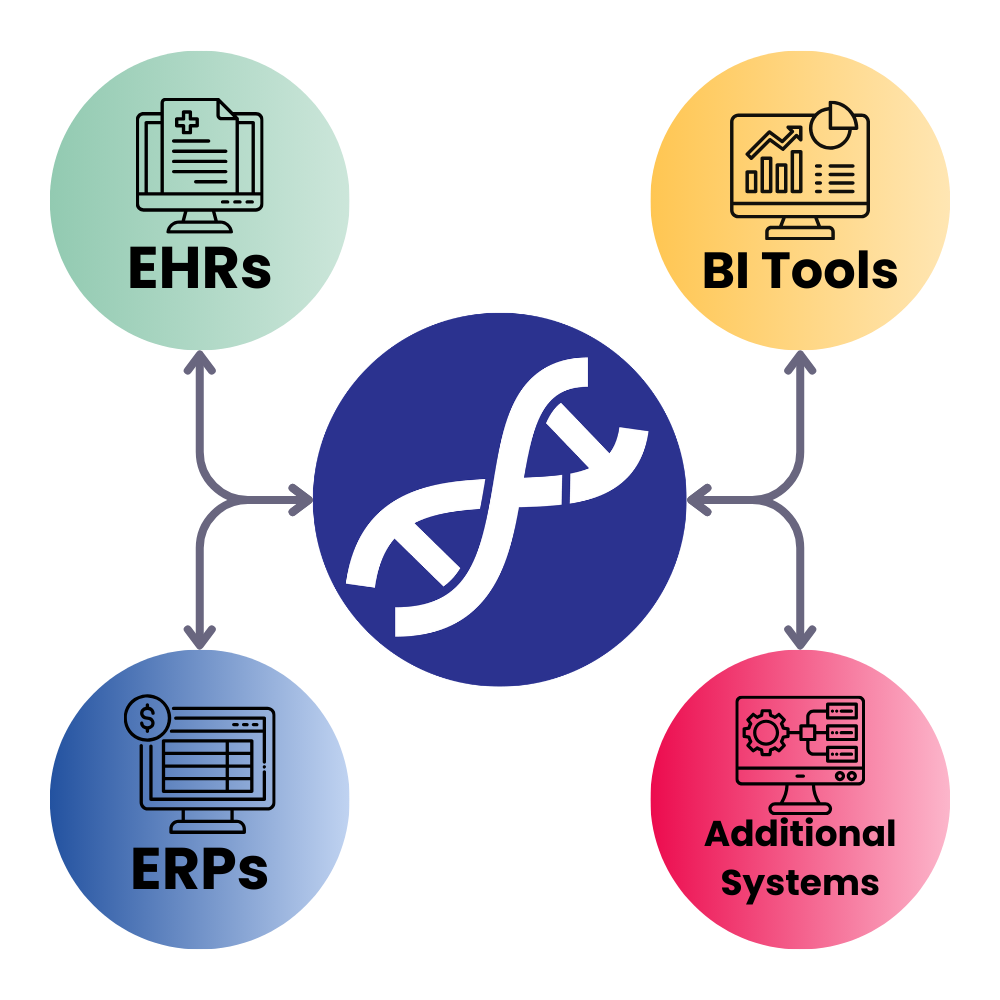
Keep your systems in sync, reduce manual work, and improve data quality with a secure web API that lets systems push and pull data to Freezerworks.
Why Integrate with Freezerworks 2
Common Questions
Everything you need to evaluate Freezerworks 2
-
Yes. Freezerworks supports validated data importing, migration planning, and configuration assistance to help teams move from spreadsheets or legacy tools.
-
No. Freezerworks 2 is browser-based and on-premise, so your team accesses it through a browser while the system remains hosted within your organization’s infrastructure.
-
Freezerworks is designed for regulated lab environments and provides audit trails, access control, and workflow controls that help labs meet regulatory requirements.
-
No. The Internet is not required to access the browser. Freezerworks can be hosted behind your organization’s firewall. You do need network access to your Freezerworks environment, but it doesn’t require public internet like a typical SaaS app.
-
Yes, this depends on how your organization allows access to internal systems. If IT restrictions are a blocker, it helps to include your IT contact so their requirements can be reviewed.
-
Implementation timelines vary based on your edition, but Freezerworks is designed to help labs move from spreadsheets or legacy systems without rebuilding everything from scratch.
-
Freezerworks includes role-based and field-level access controls to help labs limit who can view or edit sensitive records, including PHI and PII.
-
Freezerworks Web Client supports major browsers including Chrome, Firefox, and Microsoft Edge.
Read more about our system requirements here.
How to Get started
Switching to Freezerworks 2 Doesn’t Have to be Disruptive
Moving from spreadsheets or another system can feel high-risk, especially in a regulated lab. Freezerworks helps teams plan migration, configure workflows around existing operations, and train users for adoption from day one.
Evaluate your workflow
We map how your lab works today before anything moves.
Configure and migrate
We bring your data and structure over and flag anything that needs attention.
Launch with confidence
Your team goes live on workflows they already know.
Ready to See Freezerworks in Action?
See how Freezerworks 2 can fit your lab’s workflows, compliance needs, and growth plans.